

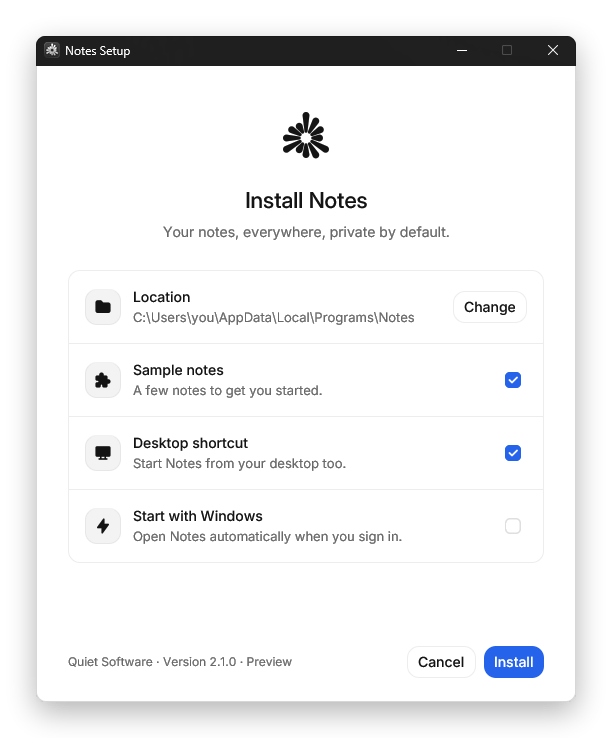
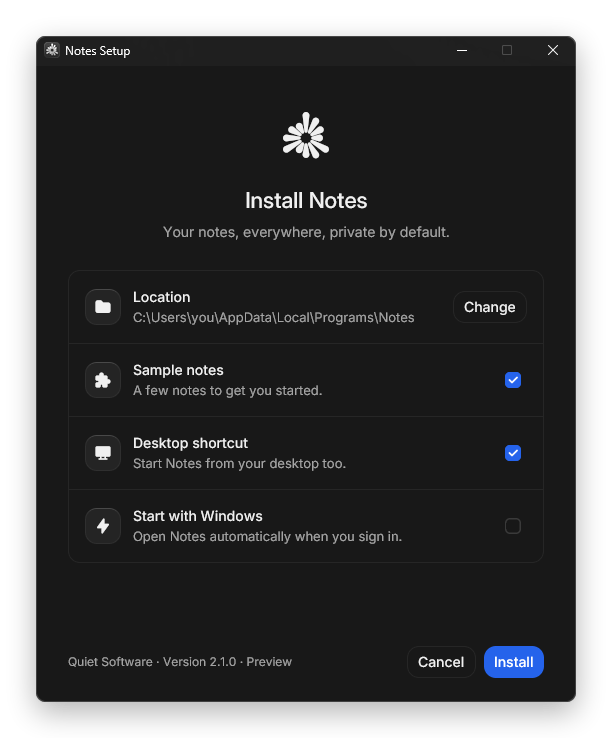
A first install, in light and dark mode.
Pages, in order
- Missing requirement. Only if something is missing. Names it, offers a button to download it, Try again, and Continue anyway for the case that it’s installed but wasn’t found.
- Access key. Only for apps with
[access]. - License. Only with
installer.license. The user clicks I agree. Updates show it again only if the text changed. - Install. The location, optional parts and options, and the Install button.
- Progress. A progress bar with what’s happening. Cancel is available while files are unpacked.
- Done. Open <app>, an optional website link, and Close.
- Failed. A sentence saying what went wrong, Try again and Save support info.
The first page depends on the computer
Updates can’t change the folder. Repair checks every installed file against the setup file and restores missing or changed ones, then redoes shortcuts and registration. It doesn’t touch other files or user data. From a script, use
--repair.
If a first install would replace files that don’t belong to your app, the window asks before continuing.
All texts can be changed in [text].
When the app is running
The window says the app is still open and offers Close and continue, which asks the app to close so it can save first. It never forces the app to quit.Errors
Errors are written as sentences with a way forward, for example “There isn’t enough free space” with the size needed and free, or the name of a file that’s in use. If Windows reports “access denied” and no program holds the file, the message names the file and Windows’ reason. The log has the details.Save support info
The failed page can save one text file,<app id>-support.txt, to the desktop. It contains app and Bach versions, the Windows build, processor type, whether setup ran as administrator, the install folder, free space, the error message and the log. User names and profile paths are replaced, and it contains none of your app’s files and no access key. Nothing is sent anywhere; the user can send you the file.
Cancel
Cancelling while files are being unpacked removes what was unpacked and leaves the computer as it was. Once files are being moved into place, cancel is no longer offered. Removing an app can’t be cancelled.Removal
The uninstaller asks to confirm with Remove <app>, offers Also delete my data (unticked) if you listed data folders, shows progress, and ends with a page saying whether data was kept. Withuninstall.feedback_url, it links Tell us why.
Keyboard and accessibility
The whole row of an option can be clicked. A focus ring appears once the keyboard is used. In Windows contrast themes, outlines and text use full contrast. With Windows animations turned off, the window doesn’t animate.