

bach.toml, and run bach build. You get one Setup.exe file that you can give to anyone with a Windows computer. Bach can also make a macOS version from the same file.
When someone runs your Setup.exe, they see one window. They click Install, and your app is on their computer, with a Start menu shortcut and an entry under Settings › Apps to remove it again.
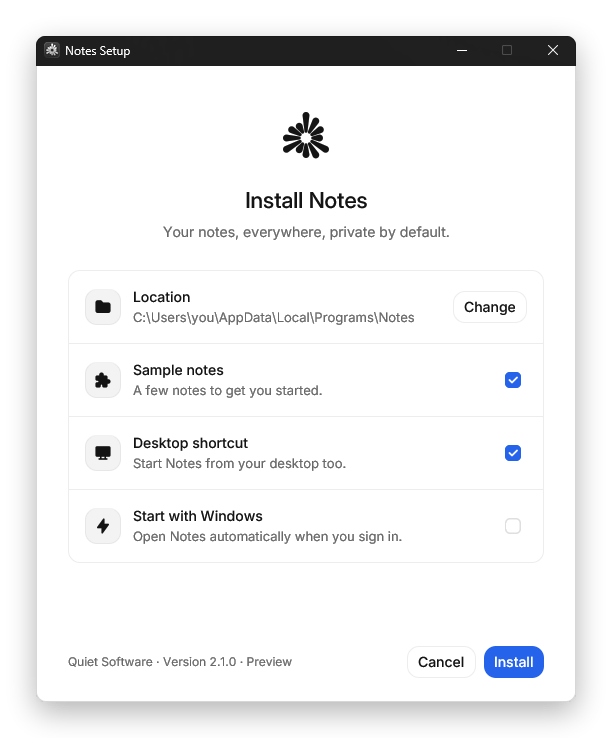
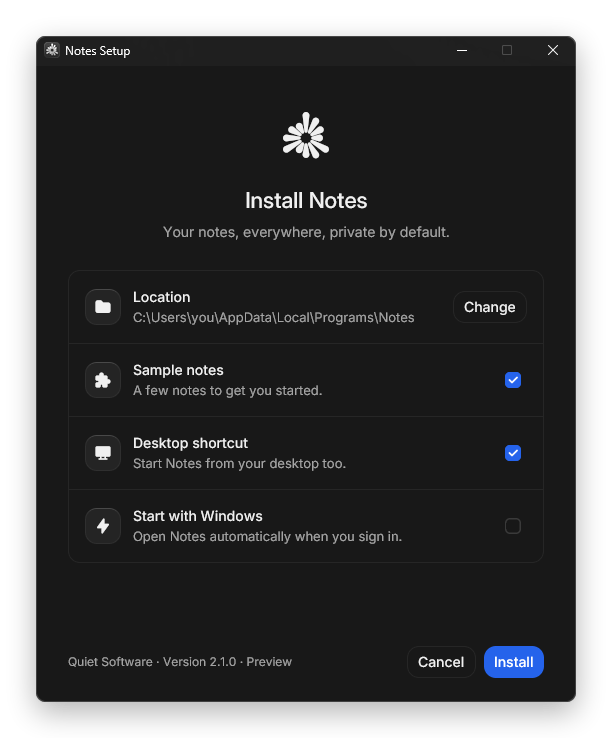
The install window in light and dark mode.
Building your app and packaging it are different jobs
Before Bach can do anything, your app has to be built. Building means turning your source code into the files that run: usually an.exe plus the libraries and other files it needs. Your own tools do that, for example cargo build --release, dotnet publish or your Electron packager. The result is a folder, which these docs call the build folder.
Packaging is what Bach does next. It takes the build folder as it is and puts it into a single setup file. Bach never compiles your code and never changes your program.
What you write
Here is a completebach.toml for a small app:
bach.toml
What the installer does for your users
Without any extra settings, the setup file:- installs the app for the person who runs it, into
%LOCALAPPDATA%\Programs\<your app>, without asking for an administrator password - creates a Start menu shortcut and offers a desktop shortcut
- lists the app under Settings › Apps with an uninstaller
- speaks the user’s Windows language (19 languages are built in) and follows light or dark mode
- updates an existing install in place when the user runs a newer setup file
- asks to close the app first if it’s still running
What you need
- A computer running Windows, macOS or Linux to run the
bachcommand. Building on Windows gives the best result: on macOS and Linux, the setup file keeps Bach’s own icon and file details instead of yours. - Windows to try the install window with
bach previewand to test the real installer. - Your app, already built, in one folder.
When Bach isn’t the right tool
Bach covers the common case of installing a desktop app. It has no scripting language, so it can’t do things that need custom install logic, and it can’t install drivers. A setup file is also about 10 MB bigger than the files it carries, which matters if your app is tiny. See Known limitations for the full list, and Why Bach for how it compares with NSIS, Inno Setup and WiX.Where to start
- Install Bach on your computer.
- Make your first installer. It takes a few minutes and includes a sample app if you don’t have one handy.
- Read the guide for your framework: Electron, Tauri, Rust, .NET, Godot and Unity, or any other app.